
Download WINmed – ECOS simulator, R2C curriculum, Starting Situations, competition preparation, practice tool, academic training, simulation software, learning platform
Overview
WINmed is a specialized mobile application designed to support individuals preparing for ECOS competition events. Its primary purpose is to provide a realistic simulation environment for practicing Starting Situations (SDD), a critical component of the ECOS assessment framework. By aligning with the R2C curriculum, the app bridges the gap between theoretical knowledge and practical application, making it a valuable resource for students and professionals in relevant academic and vocational fields. The app targets users engaged in competitive training, particularly those aiming to enhance their readiness for structured evaluation scenarios.
WINmed addresses the need for accessible, repeatable, and structured practice tools that simulate real-world competition conditions. It enables users to rehearse high-pressure decision-making and procedural execution in a controlled, risk-free setting. This is especially beneficial for learners who require consistent feedback and performance tracking to refine their skills. The app's integration with academic standards through curriculum alignment ensures that the training remains relevant and educationally sound.
Although the developer did not provide additional technical details, WINmed is positioned as a dedicated learning platform focused on simulation-based training. Its use cases include individual study sessions, classroom-based training exercises, and pre-competition rehearsal. In the broader app ecosystem, WINmed fills a niche for specialized educational tools that prioritize accuracy, realism, and pedagogical validation. The app's focus on structured feedback and academic validation distinguishes it from generic practice apps.
Key Features & Functionality
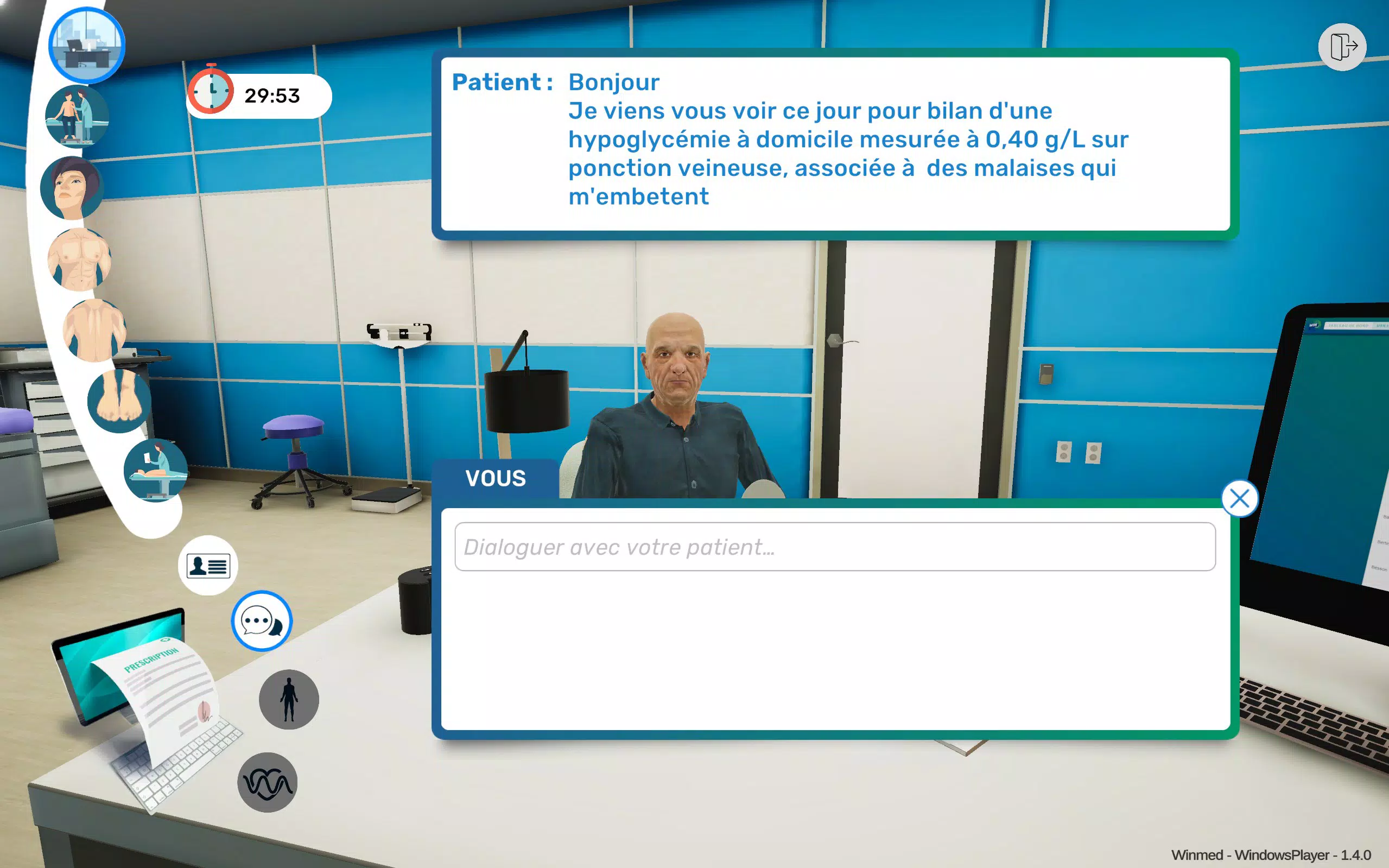
- Realistic ECOS Simulation: WINmed replicates a variety of Starting Situations (SDD) found in ECOS competitions, allowing users to experience high-fidelity scenarios that mirror actual event conditions. This immersive simulation supports muscle memory development and procedural recall under pressure.
- R2C Curriculum Alignment: The app’s content is structured to reflect the R2C curriculum, ensuring that users engage with material that is academically recognized and relevant to their training goals. This alignment enhances the transferability of learned skills to real-world applications.
- Validated Correction Grid: A detailed correction grid, verified by academic experts, provides users with precise feedback after each simulation. This feature enables learners to identify errors, understand root causes, and correct them systematically, fostering deeper learning.
- Progress Tracking: WINmed includes tools to monitor performance over time, including session history, accuracy metrics, and skill development trends. This functionality supports self-assessment and helps users focus on areas requiring improvement.
- User-Friendly Interface: The app features an intuitive design that simplifies navigation for both novice and experienced users. Clear visual cues and straightforward controls reduce cognitive load, allowing users to concentrate on training rather than interface mechanics.
For example, a medical student preparing for a national ECOS competition can use WINmed to rehearse a complex SDD scenario multiple times, review mistakes via the correction grid, and track improvements in response time and decision accuracy. Similarly, a training coordinator might integrate the app into a curriculum to standardize practice across a group of learners.
Interface, UX & Performance
WINmed presents a clean, focused interface optimized for learning and practice. The visual design emphasizes clarity and functionality, with minimal distractions that could interfere with user concentration during simulations. Navigation is structured around core training modules, allowing users to access different Starting Situations with minimal steps.
The user experience is streamlined for efficiency, with logical workflows that guide users through each simulation session from start to finish. Menus are intuitive, and interactive elements are responsive, contributing to a smooth training session. Although the developer did not list formal performance metrics, the app appears to be designed for stability and consistent responsiveness across various Android devices.
Users can expect the app to function reliably during extended practice sessions, with minimal lag or crashes. The lightweight file size of 25 MB suggests optimized resource usage, which may contribute to efficient performance even on mid-tier devices. While specific device compatibility details were not disclosed, the app’s design suggests broad accessibility across Android smartphones and tablets.
Platform Compatibility & Technical Requirements
WINmed is available exclusively on the Android platform. It is currently released in version 1.0.0 and has a file size of 25 MB, indicating a lightweight installation footprint. The app is free to download and use, making it accessible to a wide range of users without financial barriers.
The developer did not specify minimum OS requirements or device compatibility details. As such, users should ensure their Android device meets standard requirements for running modern applications. Compatibility with older Android versions cannot be confirmed, and users are advised to check their device specifications before installation.
Pros and Cons
Pros
- Realistic simulation of ECOS Starting Situations (SDD)
- Aligned with the R2C curriculum for academic relevance
- Academically validated correction grid for accurate feedback
- Progress tracking to monitor skill development over time
- Intuitive interface suitable for beginners and experienced users
- Free to download and use
- Lightweight size (25 MB) for efficient storage use
Cons
- Platform limited to Android (no iOS availability confirmed)
- Specific OS version requirements not disclosed
- Developer did not provide details on device compatibility
- No information on update frequency or future feature roadmap
- Limited to ECOS-specific training; not applicable for general use
FAQ
Is WINmed available for iOS devices?
The app is currently available only on Android. No iOS version has been announced.
How does the correction grid work?
The correction grid provides detailed feedback after each simulation, highlighting errors and offering explanations based on academic validation. It helps users understand mistakes and improve performance over time.
Is WINmed free to use?
Yes, WINmed is free to download and use without any in-app purchases or subscription fees.
What devices can run WINmed?
WINmed is designed for Android smartphones and tablets. Specific device compatibility details were not provided by the developer.
Can I track my progress over time?
Yes, the app includes built-in progress tracking tools that allow users to monitor performance, accuracy, and skill development across multiple sessions.
Final Thoughts
WINmed stands out as a focused, high-value tool for individuals preparing for ECOS competitions. Its integration of realistic simulation, curriculum alignment, and academic validation creates a powerful learning environment tailored to specific training needs. The app’s user-friendly interface and free access make it an accessible resource for students and professionals alike.
While its Android-only availability and lack of detailed compatibility information may limit reach, the app’s core functionality is well-suited for its target audience. For those engaged in ECOS training, WINmed offers a structured, effective, and immersive way to practice and improve. Its emphasis on feedback and progress tracking further enhances its educational impact.
Download WINmed now to begin your journey toward competitive excellence.


